In this article
Ready to start? Open the baby enRoute Baby Registry page, select Let's start!, then choose Add a new list on the Wishlist page. Enter a list name, create it, and sign in or create an account if prompted.
Create your registry step by step
- Start from the registry page. Select the Let's start! link, which opens My Gift Registry.
- Add a list. Select Add a new list. In the modal, enter a Wishlist name and select Create list.
- Sign in when prompted. Use an existing baby enRoute account or create one so the list remains connected to you.
- Add at least 20 distinct items if you want to pursue the welcome-gift or completion-discount benefits. Twenty items alone does not complete every condition; use the eligibility checklists below.
- Share the registry with your gift buyers. Keep the list useful by choosing a range of prices and marking routine gaps rather than adding several versions of the same product.
- Return to My Gift Registry to manage it. Recheck quantities and remove replacements or duplicates as your plans change.
Set up the list so it stays manageable
Use an account email you expect to keep through the due date and closeout period. Give the Wishlist a name that gift buyers will recognize, especially if your account may contain more than one list. After creation, return to My Gift Registry while signed in; that is the dependable home for reviewing the list rather than relying on a saved product tab.
Build the first 20 items deliberately. The registry terms call for 20 unique items, so several quantities of one product should not be treated as several unique choices. Include the exact colour or size you want where variants matter, and use quantities for genuinely repeatable items. A useful first pass covers sleep, feeding, diapering, bathing, travel, clothing and small care items at more than one price point.
If the list does not create or appear
- The Create list button is inactive: make sure the Wishlist name field is filled in.
- You are asked to sign in: sign in or create the account, then return to My Gift Registry and confirm the list appears under that account.
- You created a list under the wrong account: stop adding products and contact customer service before sharing two competing links.
- A product disappears or changes: replace it with the exact current item you want and remove the stale choice so gift buyers do not have to guess.
- A gift was bought elsewhere: you may mark it for list clarity, but a manual “Purchased” mark does not create a valid baby enRoute transaction for closeout bonuses.
Welcome goodie bag: current eligibility
baby enRoute currently describes a welcome goodie bag valued at more than $100. It is conditional, contents vary, and in-store availability depends on stock.

- Add 20 or more items to the registry.
- Share the registry on social media, tag @babyenRoute, and keep the post live for at least two days. For Xiaohongshu, contact customer service for the current instructions.
- For in-store pickup, bring valid photo ID plus an ultrasound showing your name, a doctor's note, or a prenatal appointment card, and show the qualifying social post.
- Pickup is available through baby enRoute stores in Richmond, Burnaby and Ottawa, subject to stock.
If you do not live near a store, place an online order and email online@babyenroute.ca with the order number, your name and contact details, valid photo ID, and the requested eligibility proof. The current registry page says this information is used solely for verification and kept confidential. Send only through the stated channel and only the material the current instructions request.
Common welcome-gift failure cases
Twenty products without the required social share does not complete the offer. A post removed before two days does not meet the stated duration. Arriving without photo ID or accepted verification can prevent in-store pickup. For an online claim, an email without an existing order number or the requested proof is incomplete. Xiaohongshu is handled through separate customer-service instructions rather than the standard tagging route.
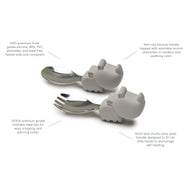
Do not plan around any pictured sample or brand. The current terms say gift items vary with supplier availability and that the final in-store gift depends on stock; confirm the offer conditions before making a pickup trip.
What the privacy statement does and does not say
The registry page states that information submitted for the welcome gift remains confidential and is used solely for verification. That statement applies to the requested verification materials in this offer. It is not a reason to send additional medical records, unrelated identification or documents through a different channel. Use the published email address, provide only what the instructions request, and contact customer service before sending anything if you are unsure which proof is acceptable.
10% completion discount: check every condition
The current registry terms offer 10% off eligible remaining registry items after at least 50% of the registry has been purchased. The registry must have been active for at least 60 days and contain at least 20 unique items. Redemption is one time, in one transaction, and available up to three months after the due date.
Car seats, strollers, furniture, mattresses, electronics, clearance or sale items, and gift cards are excluded. The discount cannot be combined with other promotions. Contact the store or customer service to redeem; do not assume the storefront will apply it automatically.
Completion-discount redemption sequence
- Keep the registry active for at least 60 days and maintain at least 20 unique items.
- Confirm that at least half of the registry items have valid purchases.
- Separate eligible remaining items from excluded categories before planning the final order.
- Contact a baby enRoute store or customer service for the completion code.
- Use the code once, in a single transaction, no later than three months after the due date.
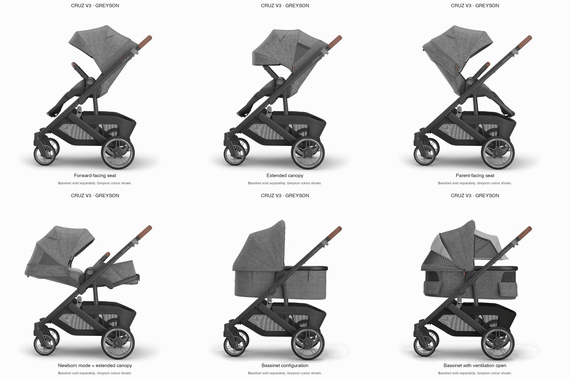
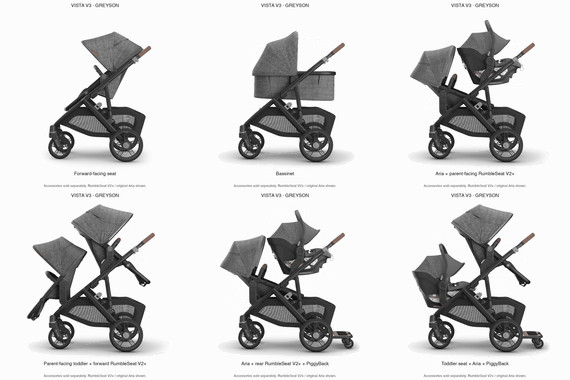
A registry can qualify overall while a particular product remains excluded. For example, a stroller can be a helpful group-gift item and count as a registry choice, but the published completion exclusions still prevent applying the 10% closeout discount to that stroller.
Registry gift cards: earned by qualifying purchases
baby enRoute's current schedule is based on gifts actually purchased through the registry. Items manually marked as purchased do not count.
| Qualifying gifts purchased | Gift card |
|---|---|
| $500 | $25 |
| $1,000 | $50 |
| $2,000 | $100 |
| $3,000 | $150 |
| $4,000 | $200 |
The full current schedule also includes $75 at $1,500 and $125 at $2,500. Review the registry perks and conditions before relying on a threshold.
How the gift-card closeout differs from the discount
The completion discount applies to eligible unpurchased items; the gift card is based on the value of qualifying gifts already purchased through the registry. They are related closeout benefits but not the same calculation. Gift-card purchases do not count toward the registry total, and rewarded gift cards cannot be used toward a completion-program purchase. baby enRoute sends the eligible digital gift card after the registry is closed out through a store or customer service.
Save the registry purchase history until closeout is complete. If an item was manually marked purchased but has no valid baby enRoute transaction record, it does not qualify for the bonus total. Resolve that difference before planning around the next threshold.
Build a list people can actually shop
- Start with routines: safe sleep space, feeding, diapering, bathing, travel and clothing.
- Mix price points: include practical small items as well as larger group-gift options.
- Separate need-now from later: newborn essentials should not be buried beneath products for a later stage.
- Check exclusions before counting on the completion discount: major categories such as strollers and car seats are excluded even if they are useful registry items.
Use the baby registry must-haves collection as a category prompt, then edit the list for your home, feeding plan, season and transportation needs.
Keep the registry accurate after sharing
Review the list after a shower invitation goes out, after major purchases and again before closeout. Remove duplicate substitutes, correct quantities and replace unavailable variants. Keep excluded high-value products if they are genuinely useful gifts, but do not let them distort your estimate of the completion discount. When friends or family ask what matters most, point them to the remaining routine gaps rather than the longest product list.
If the due date, account access, purchase record or eligibility count appears wrong, contact customer service before attempting redemption. The published terms require a code or closeout action; they do not describe an automatic self-serve correction for every account issue.
Your next three actions
- Create the named list from My Gift Registry and confirm it is visible while signed in.
- Add 20 distinct, useful products across routines and price points, then share the correct registry link.
- Bookmark the registry perks page and set a reminder before the three-month post-due-date redemption limit.